

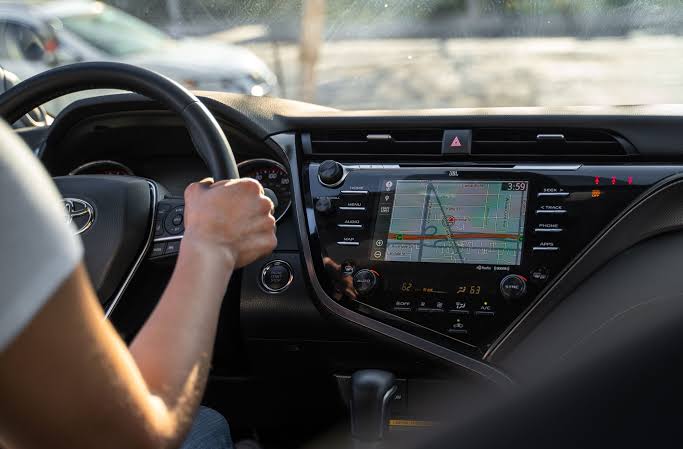
Top Car Features Drivers Actually Use Every Day are technologies that reduce effort, improve visibility, or make routine journeys more comfortable. Smartphone integration, parking cameras, climate control, keyless access, and driver-assistance systems can deliver more value than rarely used headline features.
This guide focuses on features with practical day-to-day value during commuting, errands, school runs, parking, and longer trips. It explains what each feature does, where it helps, and which options deserve priority when comparing a new or used car.
What Makes a Car Feature Genuinely Useful?
A useful car feature should solve a problem that occurs regularly.
That might mean reducing the effort required to park, keeping the cabin comfortable, making navigation easier, improving visibility, or helping the driver maintain awareness of surrounding traffic.
This list is therefore based on practical day-to-day usefulness rather than a statistical ranking of feature usage.
The best equipment is usually technology that works quietly in the background without requiring the driver to navigate complicated menus every time the vehicle is started.
Read More : Electric Cars vs Petrol Cars: Which One Makes Sense?
Everyday Car Features at a Glance
| Feature | Main Benefit | Most Useful For |
|---|---|---|
| Smartphone integration | Navigation, calls, music | Almost every driver |
| Backup camera | Rear visibility | Parking and reversing |
| Parking sensors | Distance warnings | Tight spaces |
| Blind-spot warning | Lane-change awareness | Motorway and urban driving |
| Keyless entry/start | Convenience | Frequent daily use |
| Automatic climate control | Cabin comfort | All-weather driving |
| Adaptive cruise control | Speed and distance management | Longer journeys |
| Heated seats | Fast personal heating | Cold climates |
| USB charging | Device power | Daily commuting and trips |
| Automatic headlights | Convenience and visibility | Changing light conditions |
| Rain-sensing wipers | Automatic visibility control | Wet climates |
| Rear cross-traffic warning | Reversing awareness | Busy parking areas |
1. Apple CarPlay and Android Auto
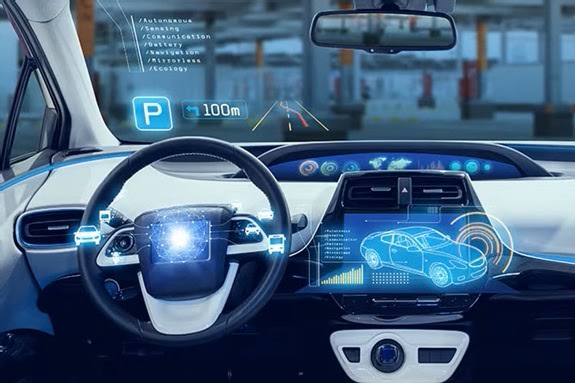
Smartphone integration has become one of the most practical cabin technologies because it places familiar phone functions on the vehicle’s display.
Apple CarPlay can provide access to navigation, calls, messages, music, calendars, and compatible apps through the vehicle interface. Android Auto similarly supports navigation, communication, audio, and other compatible services.
For everyday driving, the major benefits are simple:
- familiar navigation;
- real-time route information;
- music and podcasts;
- hands-free communication;
- voice controls;
- easier access to frequently used apps.
Wireless vs Wired Smartphone Integration
Wireless CarPlay or Android Auto is especially convenient on short journeys because the phone can remain in a pocket or bag.
Wired connectivity has one useful advantage: the phone can charge while connected.
When buying a car, check whether smartphone integration is wired, wireless, or available only on particular trim levels.
2. Backup Camera
A reversing camera is one of those features that quickly becomes part of normal driving.
It provides a view behind the vehicle when reverse gear is selected, helping drivers judge obstacles and parking spaces that may be difficult to see through mirrors alone.
NHTSA describes a backup camera, or rearview video system, as technology that provides the driver with a view directly behind the vehicle while reversing.
Why It Is So Useful
A camera helps when:
- reversing into parking spaces;
- backing out of a driveway;
- positioning near a wall;
- checking low obstacles;
- maneuvering larger vehicles.
It should complement mirrors and direct observation rather than replace them.
3. Parking Sensors
Parking sensors are less visually impressive than a large infotainment screen, but they can be more useful during everyday driving.
Sensors typically provide increasingly urgent audible or visual warnings as the vehicle moves closer to an obstacle.
Front sensors are particularly valuable on vehicles with:
- long bonnets;
- limited forward visibility;
- large bumpers;
- low seating positions.
Rear sensors work especially well when combined with a backup camera.
Camera or Parking Sensors?
Having both is ideal.
The camera helps you see what is behind the vehicle, while sensors can warn about proximity to nearby objects.
A 360-degree camera can add another layer of assistance, particularly for large SUVs and tight urban parking spaces.
4. Blind-Spot Warning
Blind-spot warning is one of the most useful driver-assistance features for regular motorway and multilane-road driving.
NHTSA describes the technology as a system that warns the driver when another vehicle is detected in an adjacent blind spot.
An indicator usually appears in or near the side mirror when another vehicle is alongside.
If the driver activates the turn signal while the area is occupied, many systems provide an additional warning.
When It Helps Most
Blind-spot monitoring can be particularly useful:
- in heavy motorway traffic;
- when changing lanes;
- when driving larger vehicles;
- around motorcycles;
- when rear-quarter visibility is poor.
It remains an assistance system. Drivers still need to check mirrors and surroundings before changing lanes.
5. Keyless Entry and Push-Button Start
Keyless entry sounds minor until you use it several times every day.
Compatible systems can unlock the vehicle when the driver approaches or touches the door handle while carrying the key.
Push-button start then allows the engine or electric drivetrain to be activated without physically inserting a key.
The feature is especially useful when:
- carrying shopping bags;
- loading children;
- entering the vehicle in rain;
- making frequent short stops;
- keeping the key inside a pocket or handbag.
It does not transform how the car drives, but it removes a small repetitive task from almost every journey.
6. Automatic Climate Control
Air conditioning is useful, but automatic climate control reduces the amount of adjustment required.
The driver selects a desired temperature, and the system automatically manages airflow and temperature to maintain it.
Dual-zone or multi-zone systems allow occupants in different parts of the cabin to select different temperature settings.
Why Drivers Use It Regularly
Cabin temperature changes because of:
- outside weather;
- sunlight;
- passenger numbers;
- motorway speeds;
- stop-and-go traffic.
Automatic climate control can respond to these conditions without constant manual adjustment.
For families or couples who prefer different cabin temperatures, dual-zone control can be especially worthwhile.
7. Adaptive Cruise Control
Conventional cruise control maintains a selected speed.
Adaptive cruise control goes further by automatically adjusting speed to maintain a preset following distance from the vehicle ahead. NHTSA classifies adaptive cruise control as a driver-assistance technology and emphasizes that the driver remains responsible for operating and monitoring the vehicle.
Where Adaptive Cruise Control Helps
It is most useful during:
- motorway commuting;
- long-distance journeys;
- moderate flowing traffic;
- repetitive speed changes.
Systems capable of operating at low speeds can also reduce the workload of stop-and-go traffic.
However, capability varies considerably between vehicles. Some systems can bring the car to a complete stop and resume automatically, while others have more limited operating ranges.
8. Automatic Emergency Braking
Automatic emergency braking is different from a convenience feature because drivers may rarely notice it operating.
That is exactly the point.
The system monitors the road ahead and can automatically apply the brakes when it detects an imminent collision.
NHTSA describes automatic emergency braking as technology designed to apply the vehicle’s brakes automatically to help avoid or reduce the severity of a forward crash.
Some systems can also detect pedestrians or other road users.
Why It Should Be High on a Buyer’s Checklist
Unlike entertainment or comfort equipment, AEB is designed as an additional safety layer when a dangerous situation develops.
It should never encourage less attentive driving, but it is a feature worth checking when comparing vehicles.
9. Rear Cross-Traffic Warning
Backing out of a parking space can be difficult when larger vehicles are parked on either side.
Rear cross-traffic warning addresses that situation.
NHTSA says the technology can alert the driver to potential cross traffic while reversing, including vehicles that may be outside the backup camera’s immediate view.
This feature is particularly useful in:
- supermarket parking areas;
- shopping centers;
- crowded residential parking;
- angled parking spaces;
- locations with limited side visibility.
Some vehicles combine the warning with rear automatic braking.
10. USB Ports and Wireless Phone Charging
Phones now handle navigation, communication, music, parking payments, digital tickets, and many other tasks.
Keeping them charged therefore matters more than it once did.
Useful charging equipment can include:
- USB-A ports;
- USB-C ports;
- high-output USB-C charging;
- wireless charging pads;
- rear-seat charging connections.
What Buyers Should Check
Do not simply count the number of ports.
Check their locations and charging capability.
A fast USB-C port positioned conveniently near the driver may be more useful than several slow ports hidden inside a storage compartment.
Families should also check whether rear passengers have their own charging connections.
11. Steering-Wheel Controls
Physical steering-wheel controls allow drivers to operate frequently used functions without reaching toward the dashboard.
Depending on the vehicle, they may control:
- audio volume;
- track selection;
- phone calls;
- voice assistants;
- cruise control;
- driver information screens.
Good controls become familiar enough that common functions can be operated with minimal visual attention.
This is one reason physical controls can remain valuable even as dashboards become increasingly touchscreen-based.
12. Automatic Headlights
Automatic headlights use sensors to determine when exterior lighting should activate.
They are useful when moving between:
- daylight and darkness;
- tunnels;
- underground parking;
- heavily shaded roads;
- changing weather conditions.
Many vehicles also offer automatic high beams.
NHTSA describes automatic high beams as systems that switch between high and low beams based on surrounding lighting and traffic conditions.
The technology reduces one repetitive task, although drivers should still verify that appropriate lighting is active when conditions require it.
13. Rain-Sensing Wipers
Rain-sensing wipers automatically activate or adjust wiping speed when moisture is detected on the windshield.
They can be especially convenient during inconsistent rain, when manually changing wiper speed becomes repetitive.
The feature is most valuable in regions where drivers regularly encounter:
- light drizzle;
- sudden showers;
- changing rainfall intensity;
- road spray from other vehicles.
The quality of calibration varies between vehicles, so this is a good feature to test during a test drive when possible.
14. Heated Seats
Heated seats may sound like a luxury until the temperature falls.
They can warm occupants directly rather than waiting for the entire cabin to heat.
This is especially useful during:
- cold morning commutes;
- winter school runs;
- short journeys;
- vehicles parked outside overnight.
Ventilated seats provide the opposite benefit in hot climates by moving air through or around the seat surface, depending on the system design.
Climate should determine whether heated seats, ventilation, or both deserve priority.
15. Power-Adjustable Driver’s Seat
Drivers interact with the seat during every journey, making seating position more important than many more obvious technology features.
Power adjustment can make it easier to fine-tune:
- seat height;
- backrest angle;
- fore-and-aft position;
- lumbar support;
- seat cushion angle.
Memory Seats Add More Value for Shared Cars
Memory settings are particularly useful when two or more people regularly drive the same vehicle.
Instead of manually adjusting the seat every time the driver changes, stored positions can restore preferred settings quickly.
Some vehicles also link mirror or steering-column positions to the memory profile.
16. Auto-Dimming Rearview Mirror
Night driving can become uncomfortable when bright headlights from a following vehicle reflect through the rearview mirror.
An auto-dimming mirror automatically reduces reflected glare when appropriate.
It is a simple feature with little learning required.
Drivers who frequently travel at night may appreciate it considerably more than someone who uses the car almost exclusively during daylight.
17. Tire-Pressure Monitoring
Correct tire pressure affects vehicle operation, tire wear, and safety.
A tire-pressure monitoring system can warn the driver when pressure becomes significantly low.
More useful systems display the pressure of each individual tire instead of providing only a generic warning light.
That can make it easier to identify which tire needs attention.
Drivers should still check tire pressure manually according to the vehicle manufacturer’s recommendations because monitoring systems are not a substitute for routine maintenance.
18. Lane-Keeping Assistance
Lane-departure warning alerts the driver when the vehicle begins leaving its lane, while lane-keeping assistance can provide corrective steering or related intervention.
NHTSA explains that lane-keeping assistance is designed to help prevent unintended lane departure while the driver remains responsible for controlling the vehicle.
It can be helpful during long journeys, but driver preferences vary.
Some drivers appreciate regular assistance, while others find aggressively calibrated systems intrusive.
This is one feature worth testing rather than judging from a specification sheet.
19. 360-Degree Parking Camera
A surround-view camera combines images from cameras around the vehicle to provide a simulated overhead perspective.
It is particularly helpful for:
- large SUVs;
- narrow parking spaces;
- high kerbs;
- garage entrances;
- tight driveways.
A standard reversing camera is sufficient for many drivers, but a 360-degree system can become a genuinely useful everyday feature if the vehicle is large or parking space is limited.
20. Power Tailgate
A powered tailgate can seem unnecessary until the boot is opened several times each day.
It is particularly useful for:
- parents;
- grocery shopping;
- luggage;
- mobility equipment;
- taller SUV tailgates.
Some vehicles add hands-free opening, allowing the tailgate to activate when the key is detected and a foot motion is made beneath the rear bumper.
The benefit is convenience rather than necessity, but frequent cargo users may value it highly.
Features That Sound Impressive but May Matter Less
Not every expensive feature provides equal everyday value.
Depending on the driver, equipment such as elaborate interior lighting, built-in entertainment applications, gesture controls, extremely large wheels, or complicated touchscreen animations may be used much less often than basic convenience equipment.
That does not make these features pointless.
It simply means they should come after essentials that improve your routine.
A sensible priority order is usually:
- safety and visibility;
- comfort;
- connectivity;
- parking assistance;
- convenience;
- entertainment and cosmetic technology.
Which Features Should You Prioritize When Buying a Car?
The right combination depends on where and how you drive.
For City Drivers
Prioritize:
- backup camera;
- parking sensors;
- blind-spot warning;
- rear cross-traffic warning;
- smartphone integration;
- 360-degree camera.
For Motorway Commuters
Look for:
- adaptive cruise control;
- blind-spot warning;
- lane-keeping assistance;
- comfortable seating;
- smartphone connectivity;
- automatic climate control.
For Families
Useful equipment includes:
- rear USB ports;
- rear climate vents;
- keyless access;
- power tailgate;
- parking cameras;
- rear cross-traffic warning;
- easy-to-clean seating surfaces.
For Cold Climates
Consider:
- heated seats;
- heated steering wheel;
- heated mirrors;
- remote climate control;
- automatic headlights.
For Hot Climates
Prioritize:
- strong air conditioning;
- automatic climate control;
- ventilated seats;
- remote cabin preconditioning where available;
- effective window shading or rear sunshades.
What to Check During a Test Drive
A feature list does not tell you whether a system is implemented well.
During a test drive, check whether:
- buttons are easy to reach;
- the infotainment system responds quickly;
- smartphone pairing works reliably;
- the reversing camera is clear;
- parking warnings are understandable;
- climate controls are easy to adjust;
- driver-assistance warnings are not excessively intrusive;
- seat adjustment provides a comfortable driving position;
- frequently used functions require too many touchscreen steps.
A simpler feature that works well can be more valuable than an advanced system with poor controls.
Frequently Asked Questions
What are the most useful features in a car?
For many drivers, the most practical equipment includes smartphone integration, a backup camera, parking sensors, blind-spot warning, automatic climate control, keyless access, USB charging, and adaptive cruise control.
Which car features are worth paying extra for?
Features worth paying for are those that solve problems you encounter regularly. Parking assistance may be valuable for a city driver, while adaptive cruise control may provide more value to someone spending hours on motorways.
Is Apple CarPlay or Android Auto worth having?
For drivers who regularly use phone navigation, music, calls, or messages, smartphone integration can be extremely useful. Apple and Google both design their respective systems to provide compatible driving-oriented phone functions through a vehicle interface.
Is blind-spot monitoring necessary?
A driver can operate a vehicle safely without it by correctly using mirrors and checking blind spots. However, blind-spot warning provides an additional alert when another vehicle is detected in an adjacent area that may be difficult to see.
Is adaptive cruise control worth it?
It can be particularly valuable for frequent motorway or long-distance drivers because it automatically adjusts speed to maintain a selected following distance. Drivers must still remain attentive and responsible for controlling the vehicle.
Is a 360-degree camera better than parking sensors?
They perform different functions. A surround-view camera provides visual information around the vehicle, while parking sensors warn about proximity to obstacles. Having both can be especially useful on larger vehicles.
Which car feature is most useful for parking?
A backup camera provides strong basic assistance. Adding front and rear parking sensors improves proximity awareness, while a 360-degree camera can be especially helpful in tight spaces.
Should I choose more safety features or luxury features?
Start with equipment that improves safety, visibility, driving comfort, and the functions you use regularly. Luxury features can then be considered according to budget and personal preference.
Conclusion
The Top Car Features Drivers Actually Use Every Day are usually not the most dramatic technologies. Features such as smartphone integration, parking cameras, blind-spot warnings, climate control, charging ports, keyless access, and adaptive cruise control solve routine problems repeatedly.

1 Comment
Pingback: the Auto Industry :How Modern Technology Is Changing